Admin console
Change a label, a colour band or a set layout yourself. Preview the change, then publish. Nothing changes for shoppers until you do.
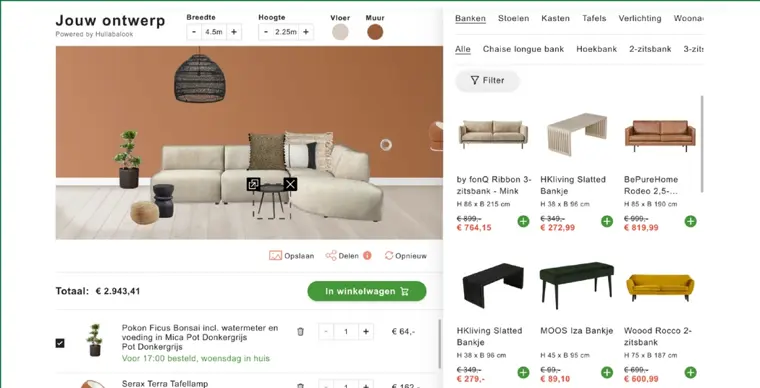

Test any version
The app tester shows every build at every screen size, with the events each build fires and a shareable link for your team.

Edit the words
Change any label in any language, with missing translations highlighted. One retailer runs 27 languages and country versions from the same screen.

Set the layouts
Arrange the ready-made designs shoppers start from, try the layout on a test version, and publish when the layout is ready. Layouts can be copied from another experience.

Manage the catalogue
Add and change modules, materials, regional variants and 3D models yourself, without sending a new feed.

Check the data
Dimensions, palettes, image order and validation policies, with alerts before shoppers see a gap.

Tune the merchandising
Pin products, boost or hide products, tag products by keyword and build bundles by hand, while the ranking keeps learning from what shoppers buy.

Manage images and 3D
Resize and batch-process images in the browser, and set up the lighting and studio shots for 3D models.

Control the AI
Set the budget, limits and AI provider for every AI feature, and switch any AI feature off in one click.

Watch the numbers
See a dashboard for every experience, organise dashboards in folders and share dashboards with anyone on your team.
Admin console
Change a label or a colour band, preview it, then publish.
Language editor · Room Creator

Ask in plain words
Ask your AI assistant to check a build, change a label or rerun a feed, and the assistant does the job over MCP or the hulla command line.

Connect your AI assistant
Connect Claude, Codex or any assistant that supports MCP, the standard way AI assistants connect to other software, or install our skills for Claude Code or Codex with one command.

Every part of your account
Your assistant can work with experiences, builds, feeds, product lists, translations, dashboards and 3D models.

Checks before changing
Every command is marked as read-only or as making a change, so your assistant can check with you before changing anything.
Answers from the docs
Your assistant searches our platform docs and how-to guides to work through longer jobs, such as setting up a feed.

Ready for automation
Service accounts and API keys let scheduled jobs run the same commands without anyone signing in.
What would your team change first?
We will walk you through the admin console on a demo account.
Book a demo →